This post is PROUDLY sponsored by Nanc (aka my mom). Thank you for the Christmas gift!
Why I Decided to Try Carv2
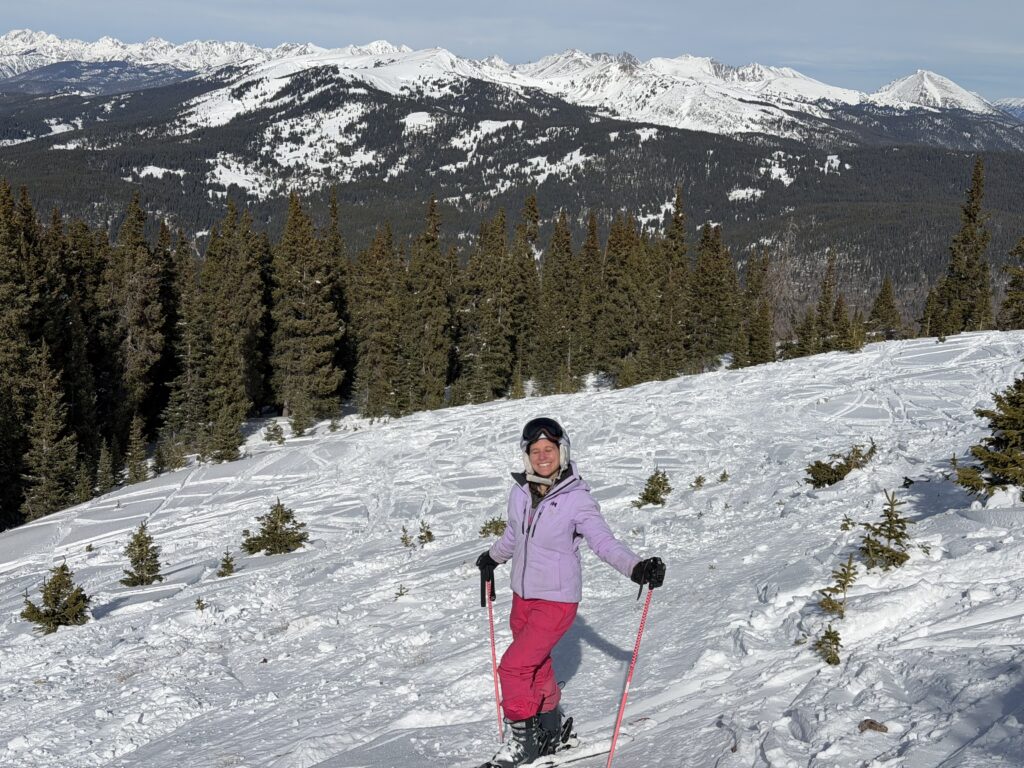
As I’m chasing progress on the slopes, I’m trying out Carv2 this season. For Christmas this year, I asked my mom for Carv2, explaining it’s meant to help improve ski form. “If you think it’s a good ski feature, I’m happy to get it for u,” she texted back. After doing some more research, I solidified my decision to go for it. With the promise of a refund after up to 100 days, I decided it was at least worth a shot. In this post, I’ll be sharing my first impressions of Carv2.
What Is Carv2?
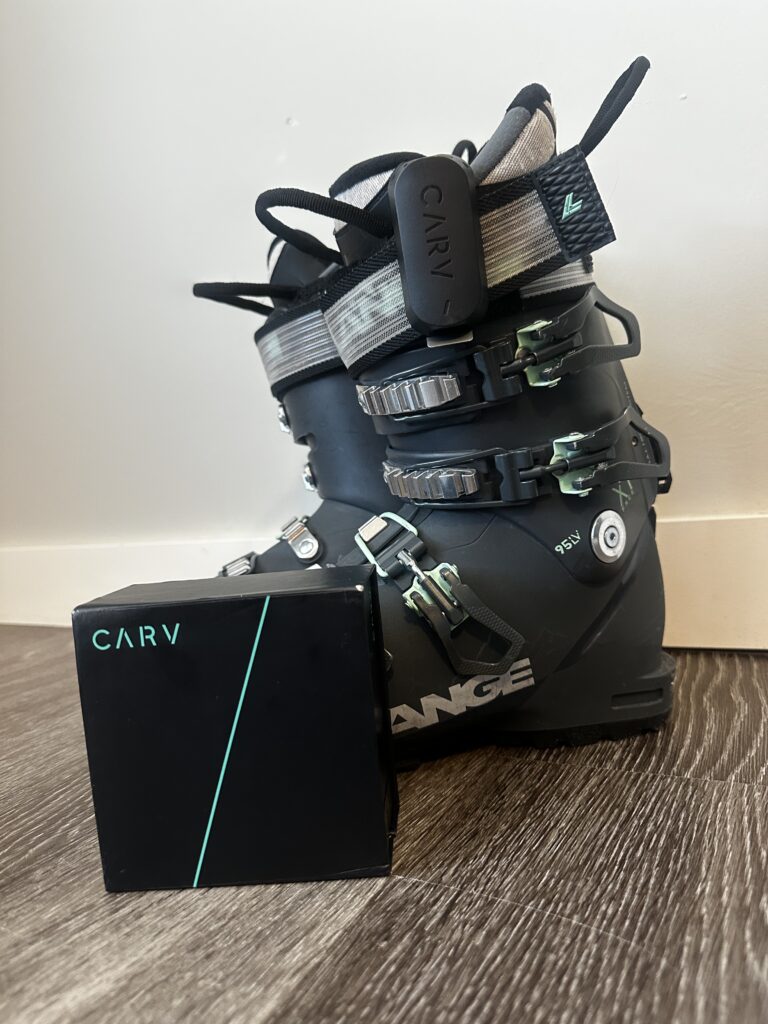
For those unfamiliar, Carv2 is a piece of technology that gives real-time feedback on your skiing. This latest Carv iteration uses sensors that clip onto the outside of each boot. (The original was an insert that went inside each boot.) These sensors pair with the Carv app, which offers tons of insights, data, drills, and real-time feedback, among other features. You clip the sensors on, pop in your headphones, and get ready to hear from your Carv coach throughout your session!
I initially heard about this product a few years ago on a podcast, and I’ve been intrigued ever since. This ski season marked the time to try it for myself. Below, I will give a bit of an overview of some key features before diving more into my thoughts so far.
What Is Ski:IQ™
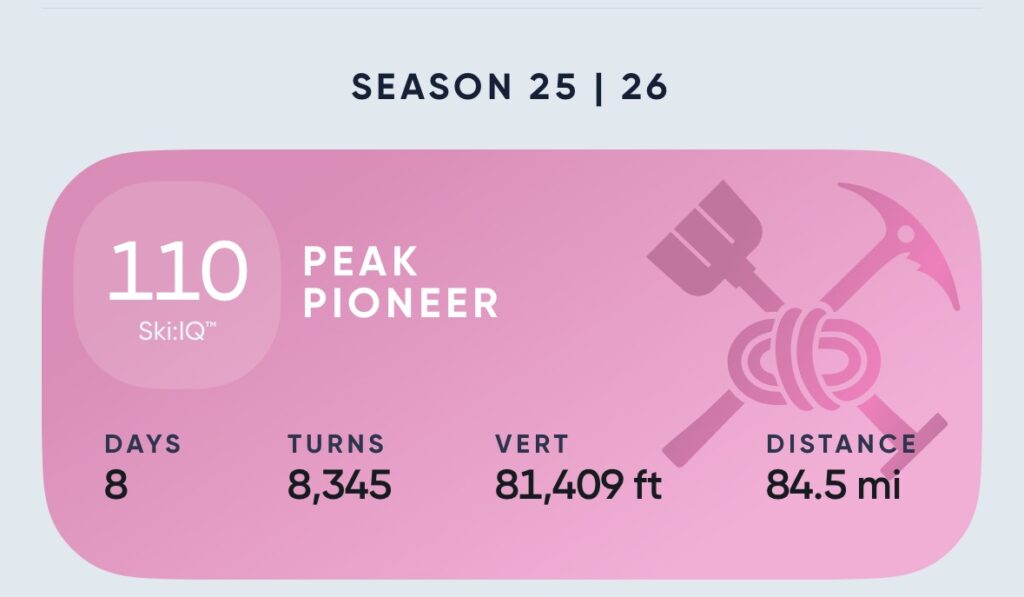
One of the main features is the Ski:IQ™. Ski:IQ™ is a score of your ski technique on each type of terrain relative to perfect technique.
Carv Modes
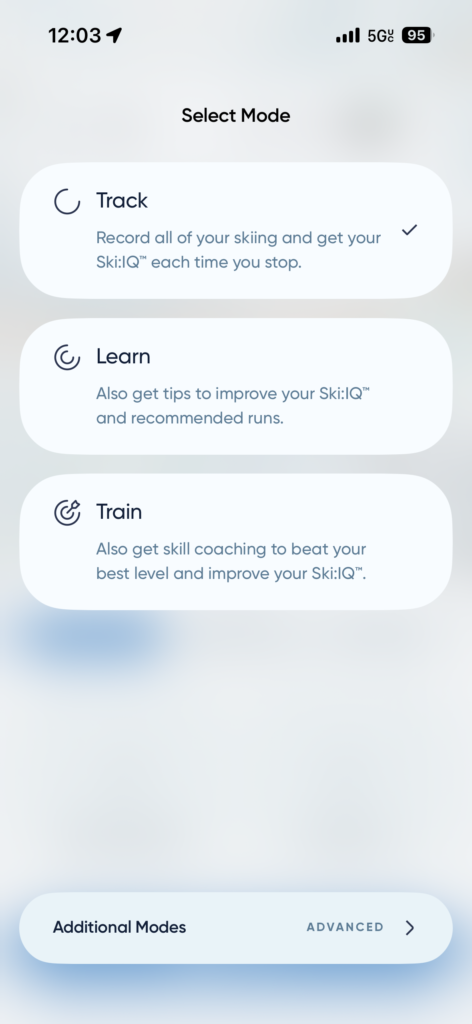
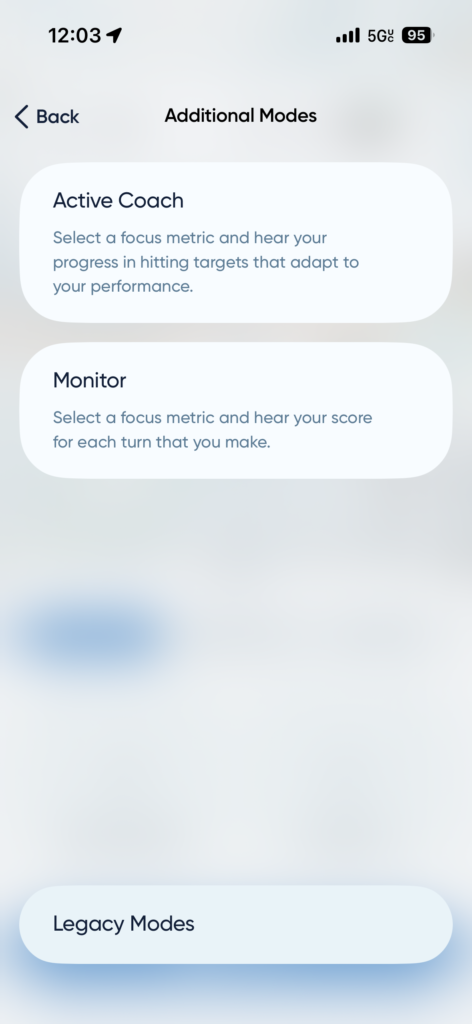
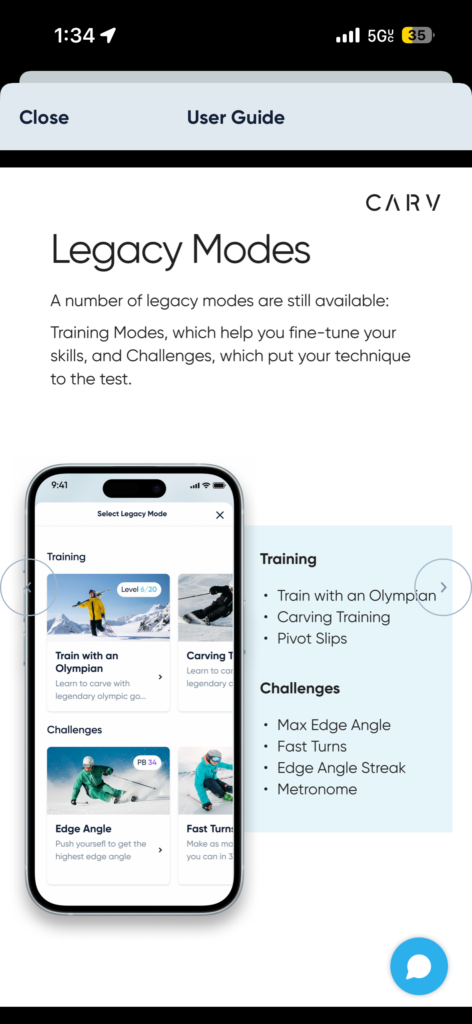
There are various modes you can choose from under the “Ski” tab. In addition to the main modes, the app offers “ADVANCED modes” and “Legacy Modes”.
Carv Pathways
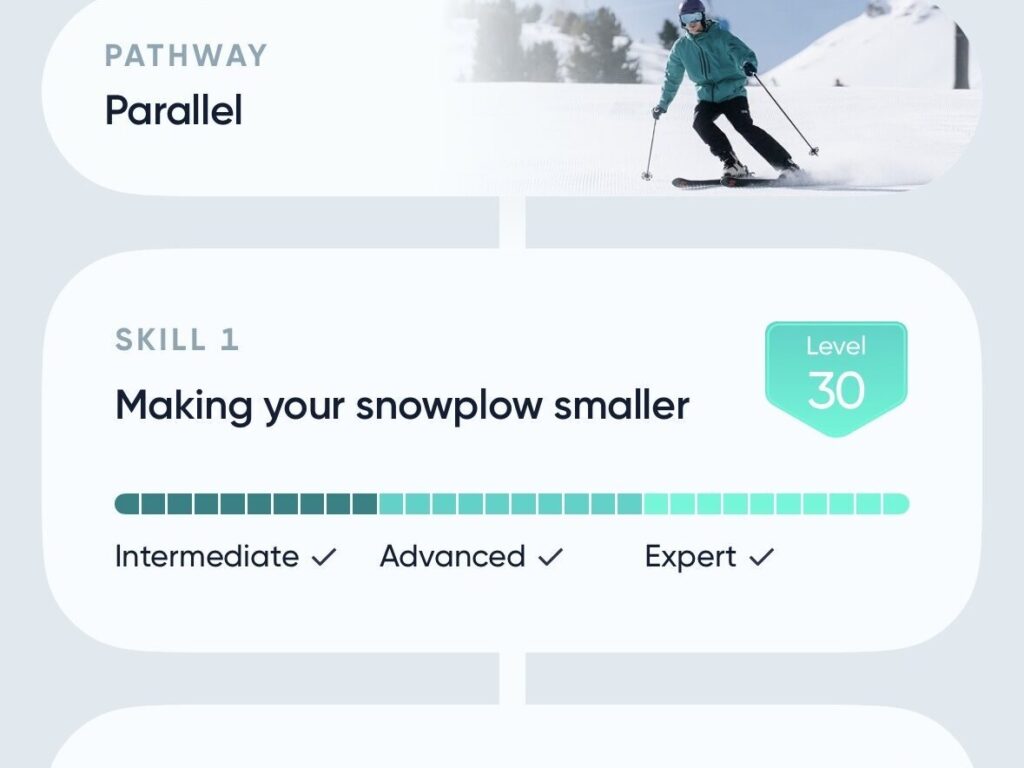
Under the “Coaching” tab, you will find “Pathways” for different types of skiing. These include: Parallel, Carving, Short Turns, Moguls, and Powder. Each pathway contains a list of specific skills that fit within it.
Early Days Using Carv2
I’ve used Carv2 10 times now. Here’s how it’s been going so far.
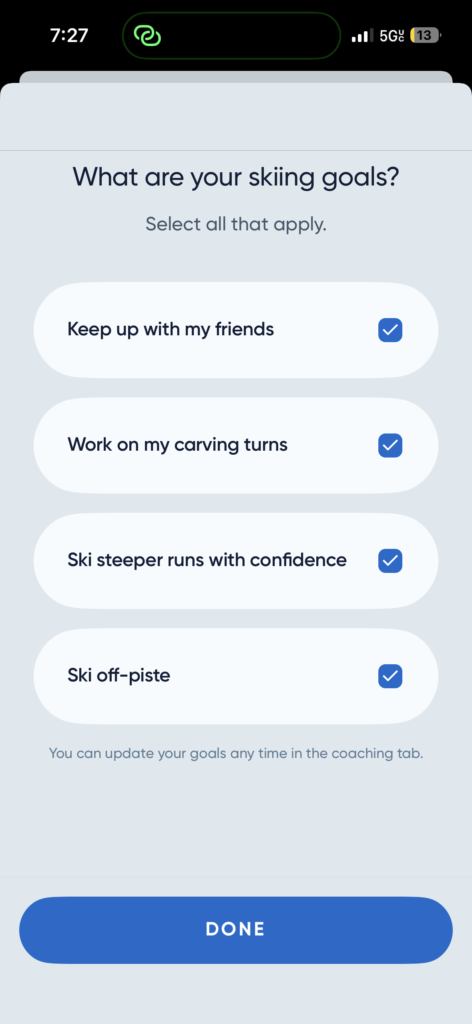
During the initial setup, I input my coaching goals, selecting all available options. These settings can be changed at any time.
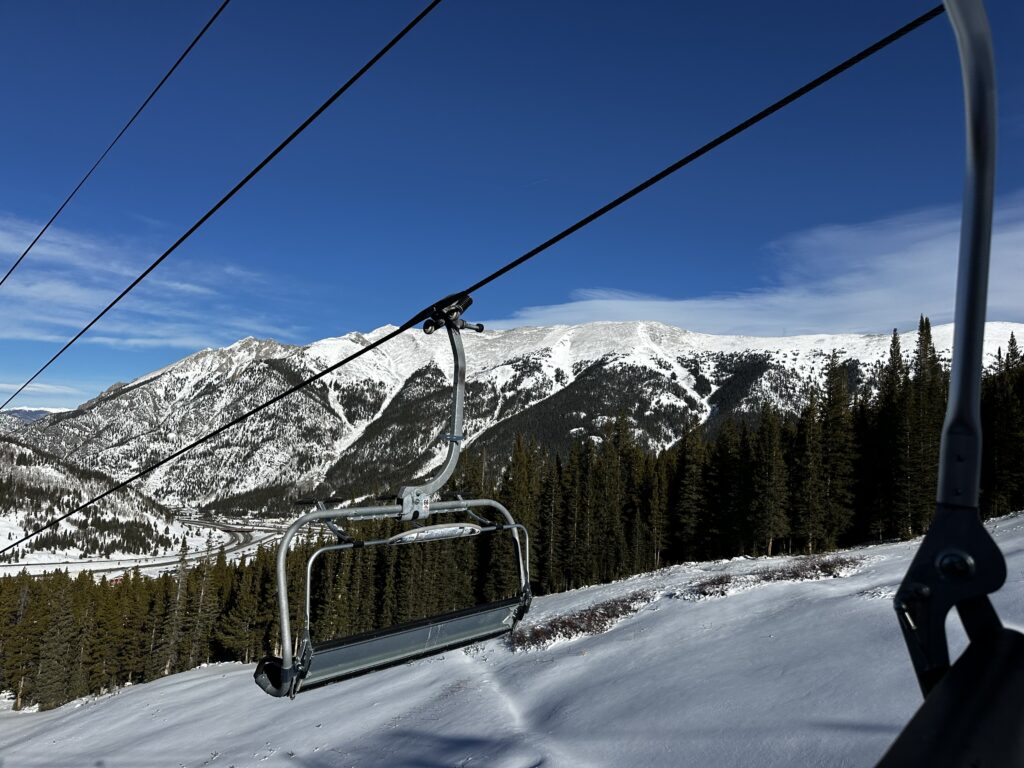
The first time I broke out my new tech was at A-Basin. I began as the manual suggested, in “Learn” mode. After each run, I received a specific tip through my headphones while on the lift.
I only ended up skiing a few runs that day. The visibility on the mountain became pretty bad, I was skiing sloppily, and they ended up closing the lifts early. Overall, I had fun with my intro day to Carv2.
On my second use of Carv2, we hit Copper Mountain. I started this day in “Train” mode to focus on training skills I was scoring lower on. The skill the app selected to work on under the “parallel” pathway was “making smoother turns”.
While working on this skill, the app made a certain sound after each turn, based on whether the turn was satisfactory or not. This encouraged me to be more intentional with my turns than normal. I worked on making them more C-shaped rather than Z-shaped, as it suggested.
During this session, I felt a bit confused at times. Some of my turns that did not hit the mark felt like they did in my body. I’d do one satisfactory turn, followed by a turn that I thought felt similar yet did not hit the mark. On the flip side, there were times when I was barely turning or even simply standing, and it made the satisfactory ding. I think this particular piece of tech could benefit from some refinements. For the most part, I think it works well, but sometimes it seems a tad glitchy.
On my fifth day using the device, I tried the “Active Coach” mode with the “recommended” focus metric. In this mode, Carv dynamically shifts your goal for each metric depending on how well you’re doing. It “adjusts” and “boosts” the target as you ski. If I’m on something steep, chunky, or icy, for example, it notices I’m skiing worse and chooses a more achievable goal. If the run then becomes more mellow, and I’m skiing more skillfully, it boosts my goal. This detail makes Carv feel even more personalized. Since that day, I’ve been gravitating toward this active coach mode with the recommended focus metric.
Finding My Rhythm With Carv2
After a few uses, I’ve particularly been gravitating toward the “Active Coach” mode. I recently tried the “Train with an Olympian” option, and while I may revisit it at some point this season, it wasn’t my favorite. The feedback/goals were interspersed with seemingly random voice notes from retired alpine ski racer, Ted Ligety. While it was neat to hear these snippets, they didn’t seem to be intentionally selected based on anything I was doing. That’s not to say a skier won’t benefit from, or enjoy, hearing from him. There’s always a chance something will resonate! I do, however, think this particular feature can feel a bit gimmicky.
I’ve been learning more about how to navigate the app as I’ve used it. There’s still more to dive into, and I’m hoping this season allows me to take in all I can from it. For example, each skill under each pathway has its own dedicated page, with an explanation of what the skill entails, the way it’s measured, advice on how to level up, and drills. I would like to spend some dedicated time working on drills for some of my weakest skills. It’s hard to find motivation to work on drills at times, especially if I just want to have fun on the mountain, but this is something I should take advantage of. The tips for leveling up these skills are also something I’d like to utilize more.
Free Carv Resources
If you don’t want to purchase the device yourself, there are still a lot of free resources the brand shares. They have a YouTube channel with tons of videos covering topics like skills, drills, how to handle steeper terrain, and more. They also have a blog on their website containing similar content. This can be a great place to start, or used as supplemental content for Carv users.
Carv has also been doing demo days at different ski resorts, so keep an eye out for those events if you’re interested in trying before you buy. Additionally, users receive buddy passes. Carv users can let their friends borrow their sensors and create an account with a two-day trial.
In my opinion, you need a little more than a day or two with the device to have a full understanding of it and get as much out of it as possible, but these are great options to give you a little taste if you’re considering purchasing. As a reminder, the company also offers a refund for up to 100 days.
What Carv Could Improve

I would like to see a history of the tips Carv gives throughout each session. Unfortunately, as far as I’ve been able to tell, once you end the session, those tips go away. Each session’s data is recorded, but the tips disappear. On a similar note, while using the “Train with an Olympian” mode, there was not even a visual record of the tips during the sesssion that I could see.
I also think it would be extra helpful if the app gave a recap after each session, with digestible key points to focus on. Maybe it could say, “Today your biggest struggles were XYZ, continue focusing on BLABLABLA to improve.” This could provide some extra clarity and focus areas. It’s great to see all of the segments and data, but I’d also benefit from a recap of the day with key bullet points.
Beyond the on-mountain features, the Carv app includes some workout videos to help you prep off the slopes. I’ve tried a couple of the yoga videos, and while they’re good, they are not exclusive to the app. I love that Carv offers tons of helpful videos on their YouTube channel, which are available to everyone, but I do wish that Carv2 users had extra content only available in-app. I think they could create some more videos that you can only access by paying for the device and subscription.
The Carv app has a place where users can suggest things to improve, so I will definitely share this feedback.
Carv2 Early Impressions
This Isn’t a Final Verdict
I’m planning to have an overall thoughts piece at the end of the season, after some more use, but here’s where I’m at so far.
My skiing skills are inconsistent, which is wildly annoying. I’m hoping that with different methods and an improved mindset, I can find a bit more consistency and confidence. I can’t say if Carv has improved my skiing much just yet, but it’s going to take some time. For the moment, improvement is an ongoing journey. It likely always will be to some extent. Such is life.
Unfortunately, we’ve also been having a pretty rough season in Colorado, and desperately need more snow and a stronger base. Conditional dependency, however, is another thing I need to work on regardless. I’d love to avoid losing my mind at the sound of ice scraping and letting my form suffer due to fear.
So far, I’d say it’s worth giving Carv2 a shot, whether through demo/buddy pass, or purchasing it for yourself.
What’s Been Working for Me
One piece of feedback I saw during my pre-purchase research is that this tech can be overwhelming/confusing for people who aren’t as data-driven. I can’t argue with that. There are some metrics, for example, that I don’t fully understand. This doesn’t mean, of course, that there aren’t aspects of the app that are more valuable to me.
So far, I’ve been finding Carv2 to be very innovative and interesting. I like having my problem areas identified during each session and getting direction on how to improve these skills. Though I’m aware of many of my challenges, sometimes, it can be hard to know exactly what to focus on in a given moment.
I definitely think Carv2 is something where each skier can determine which aspects work best for them. Maybe some pieces need a bit of work, or don’t resonate with a certain skier, but that doesn’t mean it’s a dud. There’s so much going on in the app! So far, I’ve found value in things like the tips it offers after each run and identifying my weakest points. I’ve especially been enjoying the “Active Coach” mode lately!
So, there you have it, my early impressions of Carv2! I look forward to continuing to use this technology and seeing how it helps my skiing for the rest of the season. Let’s hope we get some more snow out here! WYA, Ullr?
Heads Up: This app can drain your phone battery. I would definitely recommend bringing a charger to the slopes with you!
More in Chasing Progress on the Slopes
We all learn and progress through different methods. I’m trying out multiple things in the hopes something, or a bit of it all, will work for me.
What else have I been trying out to improve my skiing? Last season, I took a Winter Park Pro Tips lesson. Read about that experience here!
I also recently listened to the audiobook for The Inner Game of Tennis. This may sound completely unrelated, but the general idea of the book, the mental game, can be applied to many aspects of life. I plan on compiling my notes into a guide, and using it to work on my mindset on the slopes. Then, we’ll see how and if that helps!